Monday, October 24, 2011

CEDO 530 Week 2


I hate writing and have always hated writing. I've gotten much better at it since I started out hating it. Practice makes perfect. Practice makes better. Perfect practice makes perfect. I haven't gotten to the perfect part yet. Though I'm excited about  digital storytelling, I think the excitement is more of the digital and less of the storytelling.


I was glad reading chapter 4 in Digitales because like all so many of our students who stare at the paper  with a broken pencil or play with all the possible fonts on the title, I need help with ideas. Chapter 4 gave a lot of ideas and I thought with many, "Hey! I could do that. This won't be THAT hard."


Going analog? I like to play acoustic guitar once in a while but prefer my electric. As for digital projects, I do a mix but the greater percentage is digital within the medium(s). I guess I'm no different from the moaning students, "What? We have to hand in pencil notes too?"
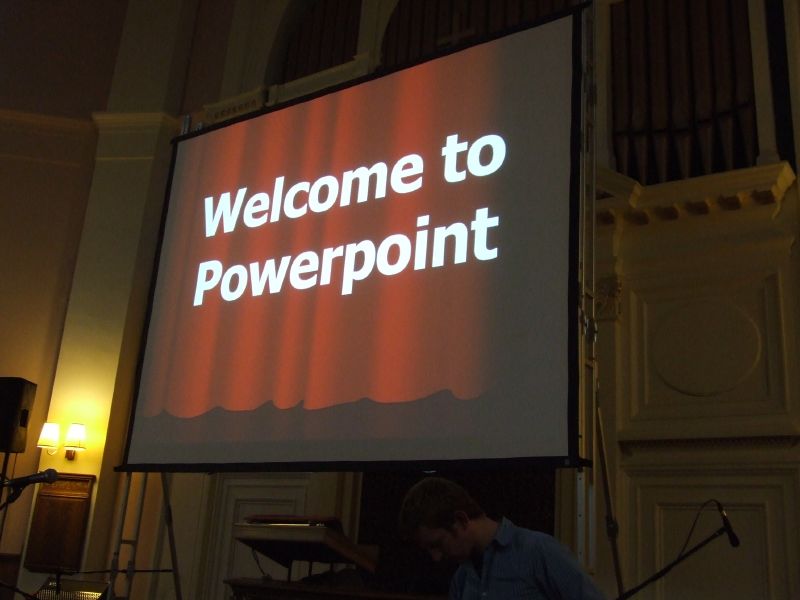

As for presentations? I don't have any. I've never given any. Never used a slide show and projector for teaching. My school had a projector but it's gone AWOL.  I'm taking a look at this whole presentation thing as something I'll be better prepared for when time comes for actually making and doing one. In the meantime, I'm gathering in the tips, tricks and suggestions and will also be generalizing them to be used in other media and presentation venues such as project website design and even my training website design.  


I think we need a few definitions of what presentations are in order for us to get this all right. I understand why we should take the time and think through a presentation that may bring in a few million start-up dollars from investors. Teachers making a dozen slides with bulleted highlights for a civil war lesson will never go away and I don't they they ought to if they serve the purpose well. Realistically, teachers aren't going to take the extra 30-40 minutes for tomorrow's class to go to the coffee shop and think analog, then another 30-40 minutes to get it all right with the sticky graphics, text & layout. They might do this occasionally but not for every day stuff. I do think that it is possible and recommended to take some of this in and make some changes that may end up with something more effective than bullets for those that use slides/presentations regularly.


What kind of presentations are we talking about here for teachers to make? Who is the audience? What are the presentations about? What is their purpose?

Question?: Does any one know of an accessible/downloadable database of the Wisconsin State Standards or Common Core Standards. I hate looking through all the individual documents and wish I could access it easily. I know many proprietary programs like Build your Own Curriculum have it built in as a feature but can us common folk get it some where?

Monday, October 17, 2011

CEDO 530 Week 1

I'm looking forward to getting into the meat of this course. Anything with design... I'm there. Learning how to create great stories and using new tools to create them - something I just haven't had the time to do before but now will have to and will enjoy.

I've never thought of myself as a great storyteller. I've told lots of people about my experiences, episodes and traveling but I've never approached them in the context of "storytelling" as I think we will learn about.

About presentations. I know there has been/is much ballyhoo about bad presentations and agree for the most part. Here are some thoughts I wrote while looking at some of the readings:


Powerpoint is Evil: I think the author is just ranting, not even showing what a great presentation should be. Though I know his rants have merits, his presentation lost my regard. Anti-Kudos back to you.

Research Points a Finger at PowerPoint: Yes, a slide should focus attention on the topic, not be a redundant visual echo. I’d have to disagree with speaking/listening and reading at the same time at least to some extent. How do children learn to read? They follow along as you read aloud to them. Duh! but I guess that wasn't the focus of this argument. Showing students a solution is called giving an example, something I think teachers do all the time. I don't think giving solutions to students and not having them come up with their own is a great idea. Maybe I missed something there???


WeVideo
Here is a freebie for you. Found it while looking for copyright/usable media. An new on-line video editor that seems to work pretty well. 1GB storage with free account Early adopters get "Plus" account benefits (10GB and more). Not too many bells and whistles, but enough for learning and students. I haven't been to a lot of other on-line video editors lately so I'm not sure how it stacks up but it worked fine for me.

Sunday, October 2, 2011

Week 6 - Final Thoughts on CEDO 525

For me, somewhere during this course everything just clicked with me. I got it. Though we've been talking about, reviewing and using a lot of these technology tools for a while and even longer, connecting them to the learning strategies in the way presented in the book just made sense. In retrospect, I feel that this course and text should be switched with CEDO 515 with its useful, but dry text. I think that a lot of the material in that text would have made a lot more sense after reading and using the text for this course. The short and simple suggestions and examples in this text were just enough to get started and understand how technology can enhance and support learning. The text for 515 got into a lot of detail and revisions of lessons, which s where this course ended.

I am making it a point to include both the learning strategies and the technology to support it part of my training program for my teachers so they have intimate examples of how this all works. I feel this could be done more in this program as well. Our instructors could use more of the technology tools paired with relevant instructional strategies for us to use and see firsthand. While building my teacher training course, I can see that this takes a while to find just the right tool that makes it as painless as possible for the teachers being trained. As an example; finding a collaborative app that doesn't require participant login or account sign up to make it as easy as possible to use.

Looking forward to the digital story telling coming up next.

Monday, September 26, 2011

CEDO Week 5: Similarities & Diferences, Homework & Practice, and Generating & Testing Hypothesis

Identifying Similarities & Differences:

I think this is one strategy that a lot of teachers use regularly but not with a systematic or conscious effort and plan or with produced student work that can be used for later analysis and synthesis.

Homework & Practice:

According to US Census Bureau statistics from 2007, in-home Internet use for the USA is somewhere around 61% and use anywhere is around 71%. This means that there is a high probability that some of our students still are not connected at home and may or may not have the ability to use publicly available computers such as at the library. While there is a plethora of ways to use technology for homework and practice - in school - , we need to still think about not requiring any “homework” to be done on the Internet unless everyone involved has access.


Generating & Testing  Hypothesis:

Like identifying similarities and differences, this strategy seems to be one that teachers use regularly without knowing it such as asking a question during a discussion like, "What do you think would happen if ....". However, I can see the benefits of including activities specifically addressing an issue or problem. In my own thinking, creating a lesson or project geared towards Generating & Testing a Hypothesis at first seems very academic and scholarly and best left for an expert who knows about these things. But after looking at some of items in the book and brainstorming on my own I can see how a planned activity can be beneficial.

Tuesday, September 20, 2011

CEDO 525 Week 4: Collaboration & Effort

Clay Shirky: Institutions vs. Collaboration

Clay discusses the mechanisms and ramifications of institutionalized vs. collaborative work.

As I was watching this talk I kept thinking about the institution of education and wondered, will this institution dissolve in the future? I think it already is starting to. Many school institutions are under criticism for under-performance and the calls for change are loud. Home schooling, online learning and virtual schools I think are a beginning to an answer. Though all of these are still very institutionalized, it is but just a step towards collaboration and cooperation. This institutionalized step is necessary for the transformation because it will take a couple of generations for people to become habitualized to this format of learning (or about 50 years as Clay mentioned). It will also take this long to put into place the mechanisms, tools and resources necessary for education to become non-institutional. Will it be more effective? ??? Will institutionalized education disappear? Probably not but the choice will be there. Are we participating in this transformation right now. I believe we are, by the fact that we are enrolled in this program and that we will be promoting the use of technology for learning.


Cooperative Learning & Reinforcing Effort:

As I discussed with my group last week and posted remarks about cooperative learning, I used this extensively with my ESL conversation teaching in Taiwan. Some of the most fun and effective activities were extended role plays. First the situation and the problem is discussed. Roles are assigned. Students with the same roles are grouped together first to discuss their role and possible things they might have to say or do. When groups of same roles are ready then groups are put together for run-throughs of the role play. I can see how this could be adapted to cooperative/collaborative learning projects in K-12. Having students with same roles get together collaborating and sharing ideas can benefit individual groups/teams. Of course this work can be done using technology as well.

As for reinforcing effort. Throw me in the cell and lock me up. It’s something I need to work on more.


Wild Ride: Intel Roller Coaster Curriculum

I’d love to be part of a project like this. However, it looks like something like this would take a lot of coordinated effort and planning with a school and teachers that know each other well and can work together.
On a related note, I and two other dads are starting up a First Lego League club at my son's school. We won't be competing this year but rather learning about FLL, how to build and program the Lego Mindstorms robots. It should be fun.

Links to Online Roller Coaster activities:

Monday, September 12, 2011

CEDO 525 Week 3:

Online Mind Mapping Review:
I reviewed the following 3 Mind Mapping apps from the course list but as I found all of these lacking in one way or another, I did some other searching as well.
  • Bubbl.us
  • MindMeister
  • CMAP

Available for Chrome Browser/App Integration from: https://chrome.google.com/webstore (some can be used in other browsers outside of Chrome/Google account)
  • Concept Board
  • MindMapr
  • Mind 42
  • Connected Mind


Bubbl.us (http://bubbl.us)
Pros: Very simple to use, can have more than one central idea, can connect bubbles to desperate other bubbles, can create a map without an account and print (but not save)
Cons: only text entry - no images, collaboration only with other members, free account limited to 3 maps
Best Use: Simple text/URL only maps and webs if you need more than one central idea.

MindMeister http://www.mindmeister.com
Pros: Can create very polished design, add multiple different media types, signing up for an account after being invited to collaborate is very simple, can sign up for account with various OpenID’s
Cons: free account limited to 3 maps and basic features
Best Use: Creating nice looking media rich maps. Middle school/High school use for advanced features. Pay for premium for more features.

CMAP (http://cmap.ihmc.us/conceptmap.html)
Pros: It was hard to tell?? Non-linear concept webbing. It may very well be a good program but see the cons.
Cons: The home page and navigation using an example of itself was hard to look at and understand what you could do with it - a very cluttered and confusing example violating one of the basic tenents of website user design: make your site so that people can easily and quickly find and navigate to the information they want. It took me a long time to find out that this is a client/server program that must be installed. I could not find any provided demo to try it out (perhaps it is there but camouflaged in the thicket of snippits buried amongst it’s broken sentences and multiple links to more snippits).
Best Use: If you need to create a complex concept web and have IT infrastructure to support its implementation.

Concept Board http://conceptboard.com/ not strictly a mind mapping app but can be used as one.
Pros: Doesn’t require Chrome to use, can invite collaborators who can collaborate as guests without an account, has discussion/comment boxes that keep track of who added comments, can import .pdf, MS & OO documents and images, participants may take control and present information while others follow as read only, great for collaborating and discussion.
Cons: If you want a mind map, you need to manually add and connect everything, cannot add any other media types or links.
Best Use: Collaborate, comment & discuss ideas - import advanced organizer docs to comment on.

MindMapr: https://chrome.google.com/webstore/detail/njkigggmlihigheckmmebgogbgdmllpo
Pros: Very easy and quick to use for basic mapping and ideas
Cons: No collaboration, no additional media, only save to local disk.
Best Use: For a quick, easy and simple map. Great for younger kids because of its simplicity.


Mind 42 http://mind42.com/ Very-very similar to Mindmeister
Pros: Collaborative, free (unlimited?)
Cons: can’t change the background color like in Mindmeister.
Best Use:

Connected Mind http://connected-mind.appspot.com/
Pros: A more free and distinctive graphic design of maps /webs.
Cons: no collaboration, tricky getting used to drawing the branches in the freeform style.
Best Use: For those desiring a more free looking design to a map/web

***Editor’s Pick For Education***
MindMapr: for elementary students
Mind 42: for middle school & high school
Concept Board: for collaboration & discussion

Learning Topics:
Once again I am frustrated that I cannot yet begin using any of thee wonderful tools and strategies. I hopefully will be soon because I’m still working at my old school but on administrative thing at the moment and our computers/network/Internet are not set up yet but I’m doing my best to move all of that along. When the crazy rush of the first month of school is over and we’re set up, I hope to be able to start training our teachers in all of this stuff.

Cues, Questions and Advance Organizers
This is something I’ve never really done and hope to get a chance using it. I think I’ll be trying it as I train our teachers in using technology.

Non-Linguistic Representation
Love it. Used it all the time teaching ESL. Will try to promote it’s use more with the teachers I work with.

Summarizing & Notetaking
I tried a couple of years ago to teach some mdidle schoolers about note-taking but not with a lot of sucess. I really like the the subtractive method mentioned in the book where students work on a text, strategically whittling it down until the bare bones necessities remain. I’d like to try this. I’ve done something similar but in the opposite direction teaching reading to ESL students. I take a reading and black out all the non-essentials and just leaving the parts/phrases that I know they will understand. Too often struggling readers are daunted by trying to read something that contains a lot of stuff they don’t understand. By reducing the reading to a minimum that contains essential information, I show them that they can understand the main ideas. I then show them how to block out/ignore the things they don’t understand with the whole text. Then I teach them how to guess about what some of the words might mean such as a word preceding a noun is very often an adjective. Don’t worry about it’s meaning this time. Just remember that it’s an adjective. If you see this word a few more times, then look it up. So, this summarizing/note-taking strategy I guess is a bit like this in reverse.

Thursday, September 8, 2011

CEDO 525 Week 2: Objectives, Feedback & recognition

Feedback that Fits ( http://www.ascd.org/publications/educational_leadership/dec07/vol65/num04/Feedback_That_Fits.aspx ):

Giving feedback about the quality of work or process was what I thought most relevant combined with the feedback being related to the goals of the lesson/activity. Having feedback about positive things is also important. I think a lot of teachers focus on what is wrong with something and not on what is right.


Setting Objectives, Providing Feedback and Providing Recognition:
I’ll be the first to admit that my lesson planning and classroom strategies for teaching in schools in America need some work. My past experience teaching was mostly teaching 8 week ESL conversation courses in Taiwan. There was no formal assessment and homework was not mandatory but mostly in preview and preparation for the next class. At the end of the course we would informally evaluate students ability and performance and judge whether or not they were ready for the next level. There were no grades given, just advance or retake the same level. Yes, we set objectives for individual classes and activities and gave verbal feedback throughout the class. All-in-all, teaching ESL conversation in a relaxed, informal environment in Taiwan is a very different animal than teaching K-12 in the USA.


I look back now on the computer lessons I taught in the past few years to high school students and realize that I need to rethink how I plan and prepare. Just taking courses for this program I can see how valuable the objectives and rubrics are for each course and assignment. I know what is expected and what I have to do. I f I do any teaching this year (my future is still up in the air) I’ll be taking these matters to my planning for sure.


Giving appropriate feedback is also something I need to work on and it follows from the objectives that are set. I feel that there isn’t very much feedback on our work given in this program as a whole. One instructor made a point to comment on our blog occasionally and also wanted to be included in our first team discussion just to check in but that has been just about all of the feedback we’ve been given.

On providing recognition I have been guilty of providing little or none to my students. I know thi is another thing I need to work on.


Future Thoughts:

I’m still working at my old school part time. I’ll be training whoever to do all the clerical and administrative tasks I’ve been doing the past few years. I’ll also be in charge of the technology as soon as it gets up and running as we’ve moved into a new building and the internet & network haven’t been set up yet. I’m hoping I can begin training the teachers to start implementing some of these ideas, perhaps one by one, training them to use a few select tools to get them used to using technology and computers in their teaching and learning. I have no problem seeing how the example technology tools can be effective. I just don't have the ability to implement them as of yet.


Free Idea for You:Students who Need Spelling Help

My 2nd grade son keeps asking me how to spell words. I directed him to either Google search or Google translate (set English to English). The new voice search lets you speak a word or short phrase and bingo, it pops up with the (mostly) correct spelling. The only problem is that f using the computer to write, it is too easy to cut and paste but it works pretty well. I’d like to see a similar function that returns the word/sentence as a graphic (like a captcha) so that if using the computer, students would have to type it in manually, thus getting spelling practice as well.